

Phomemo M250 Label Maker 75mm Thermal Label Maker 2025 Upgrade Portable Barcode Printer for Business Home Sticker Printer
White
Sale price
€106,29
Regular price
€159,44
Skip to product information


Phomemo M250 Label Maker 75mm Thermal Label Maker 2025 Upgrade Portable Barcode Printer for Business Home Sticker Printer
Sale price
€106,29
Regular price
€159,44
SPECIFICATIONS
After-sale Service: Shop's Three Guarantees
Application: For Commercial
Battery Included: Yes
Brand: Phomemo
Brand Name: Zodzi
Certification: CE,FCC,RoHS
Choice: yes
Consumable Type: Label Paper
Control Method: App
Double-sided Printing: No
High-concerned chemical: none
Interface Type: Bluetooth
Max Paper Size: 75mm
Max. Resolution: 203dpi
Origin: Mainland China
Paper Feed Mode: Roll Feed
Print Speed: 20ppm
Signal Connection Type: Bluetooth
Supports Network Printing: Wireless
Type: Thermal Printer
Use: Label Maker
Voltage: 100-240V
semi_Choice: yes
-
🚀 2025 Upgraded Phomemo M250: The Ultimate Pocket Labeling Powerhouse!
🔋 5000 Labels/Single Charge & 50mm/s Turbo Speed
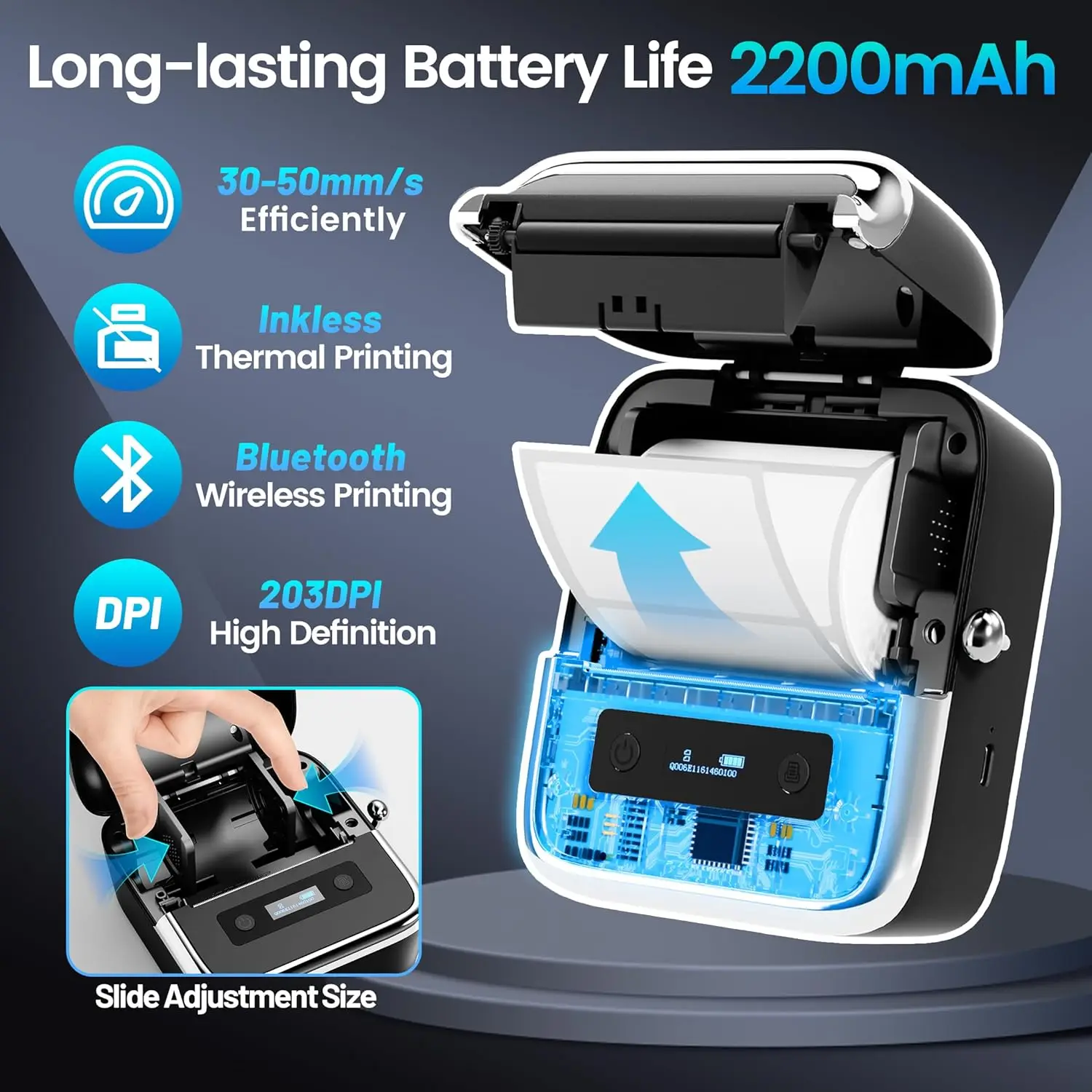
– 2200mAh battery (industry’s highest capacity!) prints 5000+ labels on one charge
– 30-50mm/s printing speed + auto sleep mode (saves power after 5 mins idle)🎯 3-Inch Wide Printing: From Barcodes to Jar Labels
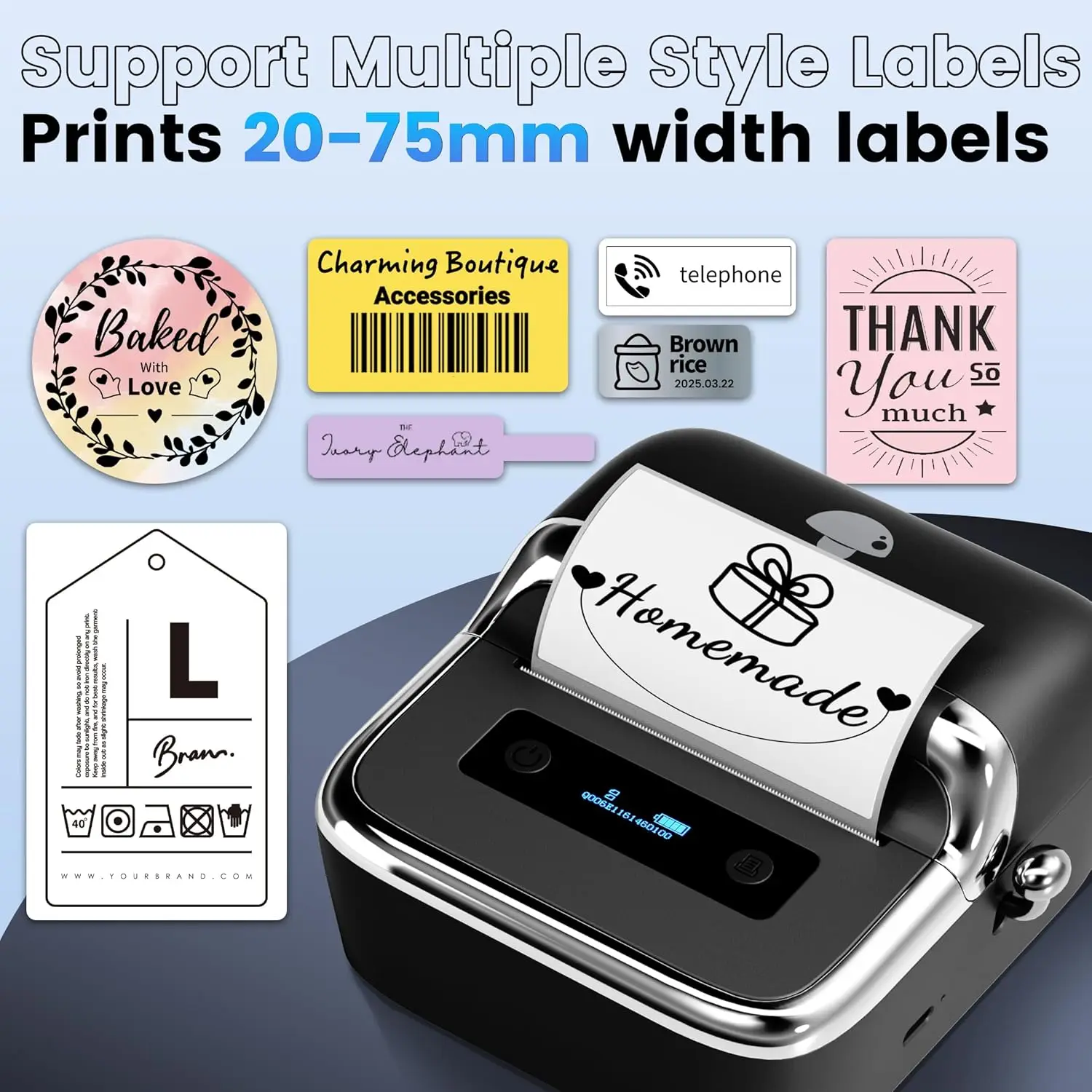
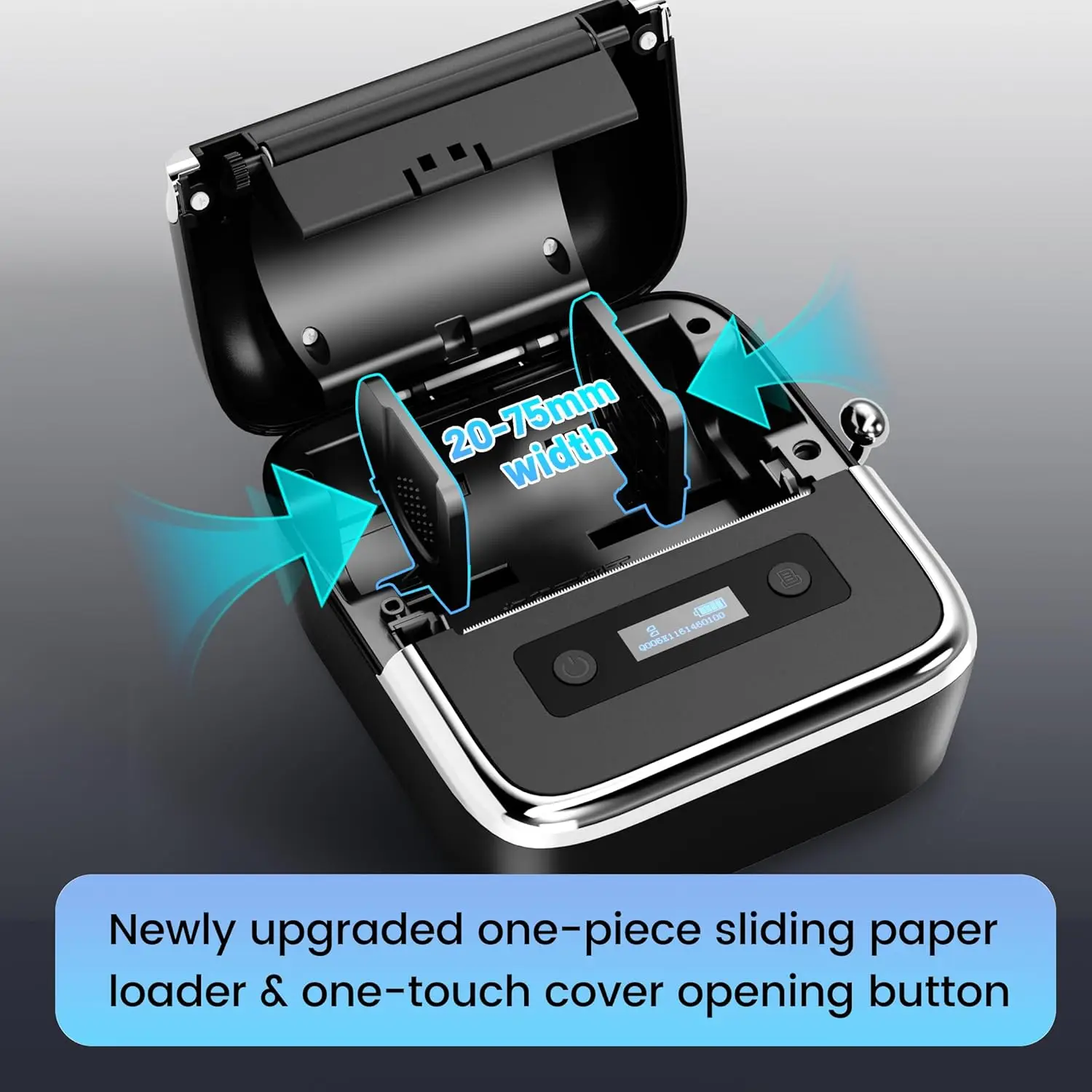
– Supports 20-75mm tape (0.78"-3.14" width) – ideal for:
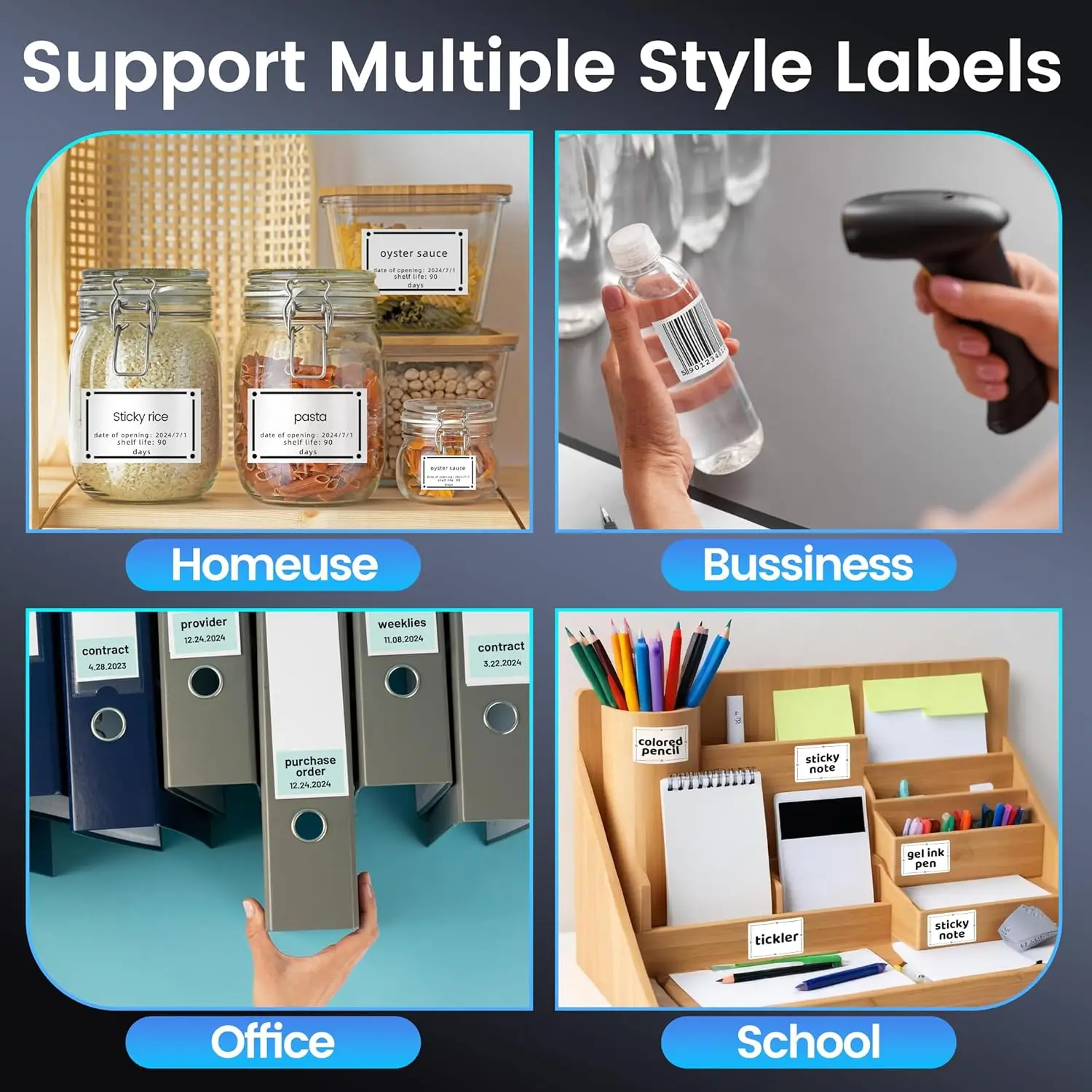
✅ QR/barcodes ✅ Cable/address tags ✅ Food/jar labels ✅ Home/office organization
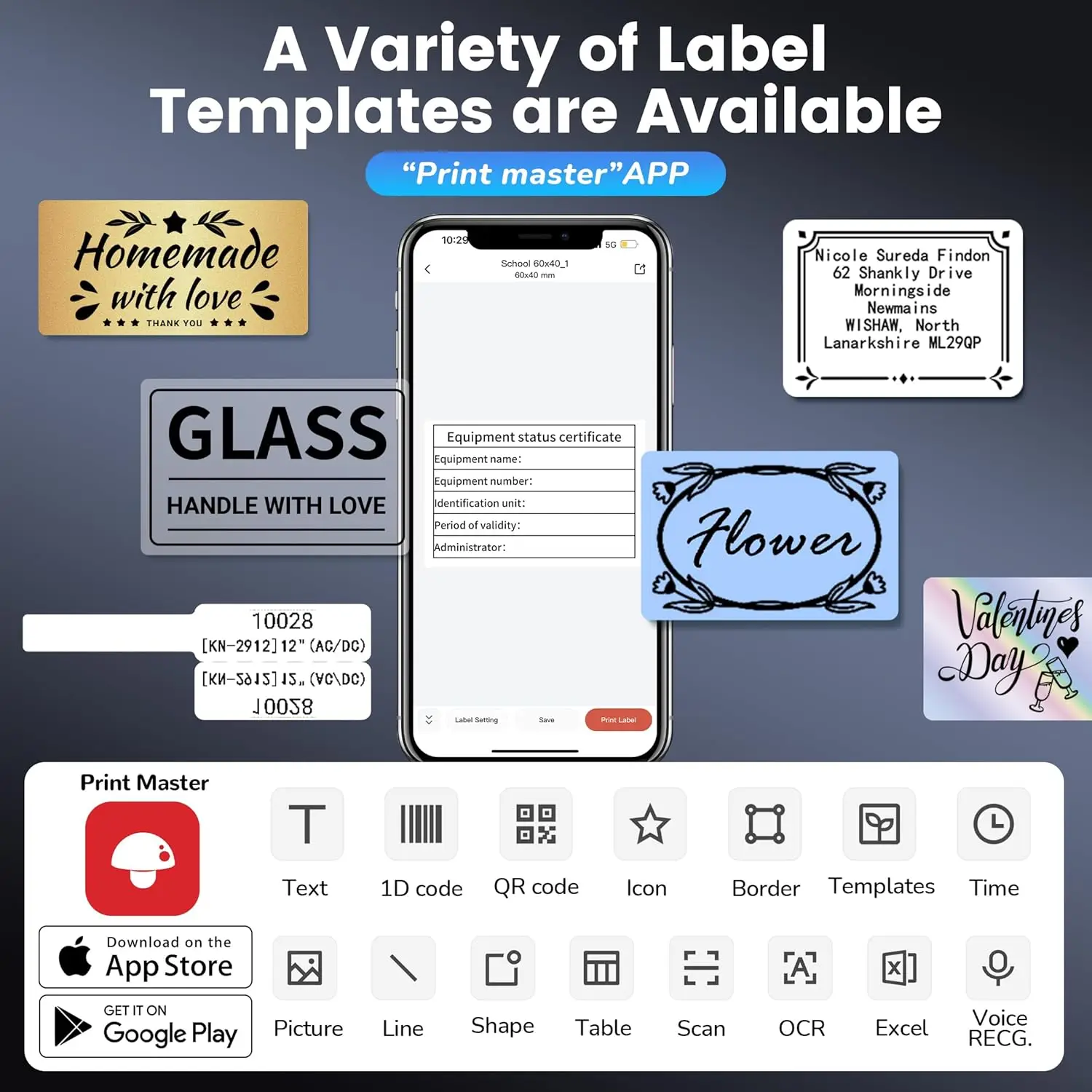
Note: Not compatible with 4"x6" shipping labels📱 FREE "Print Master" App: 1500+ Symbols, 200+ Templates
– Create with: OCR text scan, voice input, batch printing, 110+ fonts, 20+ languages
– Design custom labels for business logos, pantry organizing, product pricing in seconds!🖨️ 1-Second Paper Loading + 390g Ultra-Light Body
– Integrated drop-in paper structure – no threading, no jams
– Fits in your pocket – print labels on-site at warehouses, markets, or pop-up stores🔗 Bluetooth + USB Cross-Platform Compatibility
– Works with: iOS, Android, iPad, Windows, macOS
– Wireless: Connect via Bluetooth + "Print Master" App
– Wired: USB cable + download "Labelife" software (driver from Phomemo.com)
📦 What’s Included:
M250 Label Maker*1
100 Sheets Thermal Labels (40x30mm)*1
USB-C Cable*1
-
User Manual *1
🎯 Perfect For:
Small business owners (crafts, cafes, retail)
Warehouse inventory management
Home organizers & hobbyists
On-the-go professionals
-
⚡ Pro Setup Tip:
For computer printing: Connect USB cable → power on
Download driver & "Labelife" from Phomemo.com
Print directly from Word/Excel/PDF!


.aplus-v2 .container-with-background-image {
width: 100%;
height: 100%;
background-repeat: no-repeat;
background-size: cover;
}.aplus-v2 .apm-brand-story-carousel-container {
position: relative;
}
.aplus-v2 .apm-brand-story-carousel-hero-container,
.aplus-v2 .apm-brand-story-carousel-hero-container > div {
position: absolute;
width: 100%;
}/*
Ensuring the carousel takes only the space it needs.
The sizes need to be set again on the absolutely positioned elements so they can take up space.
*/
.aplus-v2 .apm-brand-story-carousel-container,
.aplus-v2 .apm-brand-story-carousel-hero-container {
height: 625px;
width: 100%;
max-width: 1464px;
margin-left: auto;
margin-right: auto;
overflow: hidden;
}
.aplus-v2 .apm-brand-story-carousel-hero-container,
.aplus-v2 .apm-brand-story-carousel-hero-container > div {
height: 625px;
}.aplus-v2 .apm-brand-story-carousel.a-carousel-container {
padding: 0px;
}
/*
This centers the carousel vertically on top of the hero image container and after the logo area (125px).
Margin-top = (heroHeight - cardHeight - logoAreaHeight) / 2 + logoAreaHeight
*/
.aplus-v2 .apm-brand-story-carousel .a-carousel-row-inner {
margin-top: 149px;
}
/*
Cards need to have a width set, otherwise they default to 50px or so.
All cards must have the same width. The carousel will resize itself so all cards take the width of the largest card.
The left margin is for leaving a space between each card.
*/
.aplus-v2 .apm-brand-story-carousel .a-carousel-card {
width: 362px;
margin-left: 30px !important;
}
/* styling the navigation buttons so they are taller, flush with the sides, and have a clean white background */
.aplus-v2 .apm-brand-story-carousel .a-carousel-col.a-carousel-left,
.aplus-v2 .apm-brand-story-carousel .a-carousel-col.a-carousel-right {
padding: 0px;
}
.aplus-v2 .apm-brand-story-carousel .a-carousel-col.a-carousel-left .a-button-image,
.aplus-v2 .apm-brand-story-carousel .a-carousel-col.a-carousel-right .a-button-image {
border: none;
margin: 0px;
}
.aplus-v2 .apm-brand-story-carousel .a-carousel-col.a-carousel-left .a-button-image .a-button-inner,
.aplus-v2 .apm-brand-story-carousel .a-carousel-col.a-carousel-right .a-button-image .a-button-inner {
background: #fff;
padding: 20px 6px;
}
.aplus-v2 .apm-brand-story-carousel .a-carousel-col.a-carousel-left .a-button-image .a-button-inner {
border-radius: 0px 4px 4px 0px;
}
.aplus-v2 .apm-brand-story-carousel .a-carousel-col.a-carousel-right .a-button-image .a-button-inner {
border-radius: 4px 0px 0px 4px;
}
width: 100%;
height: 100%;
background-repeat: no-repeat;
background-size: cover;
}.aplus-v2 .apm-brand-story-carousel-container {
position: relative;
}
.aplus-v2 .apm-brand-story-carousel-hero-container,
.aplus-v2 .apm-brand-story-carousel-hero-container > div {
position: absolute;
width: 100%;
}/*
Ensuring the carousel takes only the space it needs.
The sizes need to be set again on the absolutely positioned elements so they can take up space.
*/
.aplus-v2 .apm-brand-story-carousel-container,
.aplus-v2 .apm-brand-story-carousel-hero-container {
height: 625px;
width: 100%;
max-width: 1464px;
margin-left: auto;
margin-right: auto;
overflow: hidden;
}
.aplus-v2 .apm-brand-story-carousel-hero-container,
.aplus-v2 .apm-brand-story-carousel-hero-container > div {
height: 625px;
}.aplus-v2 .apm-brand-story-carousel.a-carousel-container {
padding: 0px;
}
/*
This centers the carousel vertically on top of the hero image container and after the logo area (125px).
Margin-top = (heroHeight - cardHeight - logoAreaHeight) / 2 + logoAreaHeight
*/
.aplus-v2 .apm-brand-story-carousel .a-carousel-row-inner {
margin-top: 149px;
}
/*
Cards need to have a width set, otherwise they default to 50px or so.
All cards must have the same width. The carousel will resize itself so all cards take the width of the largest card.
The left margin is for leaving a space between each card.
*/
.aplus-v2 .apm-brand-story-carousel .a-carousel-card {
width: 362px;
margin-left: 30px !important;
}
/* styling the navigation buttons so they are taller, flush with the sides, and have a clean white background */
.aplus-v2 .apm-brand-story-carousel .a-carousel-col.a-carousel-left,
.aplus-v2 .apm-brand-story-carousel .a-carousel-col.a-carousel-right {
padding: 0px;
}
.aplus-v2 .apm-brand-story-carousel .a-carousel-col.a-carousel-left .a-button-image,
.aplus-v2 .apm-brand-story-carousel .a-carousel-col.a-carousel-right .a-button-image {
border: none;
margin: 0px;
}
.aplus-v2 .apm-brand-story-carousel .a-carousel-col.a-carousel-left .a-button-image .a-button-inner,
.aplus-v2 .apm-brand-story-carousel .a-carousel-col.a-carousel-right .a-button-image .a-button-inner {
background: #fff;
padding: 20px 6px;
}
.aplus-v2 .apm-brand-story-carousel .a-carousel-col.a-carousel-left .a-button-image .a-button-inner {
border-radius: 0px 4px 4px 0px;
}
.aplus-v2 .apm-brand-story-carousel .a-carousel-col.a-carousel-right .a-button-image .a-button-inner {
border-radius: 4px 0px 0px 4px;
}
