
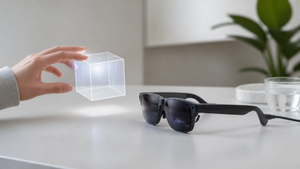

Most augmented reality glasses still tether you to a floating screen that follows your head movements. What’s missing is the ability to lean into a virtual object, walk around it, or reach out and interact — the kind of spatial freedom that makes digital content feel anchored in the real world. The Viture Luma Ultra XR Glasses aim to close that gap with 6DOF spatial vision, a feature that’s been more common in bulky headsets than in glasses you can wear for hours.
Viture’s push into spatial computing comes at a moment when the company already holds a strong position in the US market. According to Forbes, Viture captured 52% of the US XR smartglasses market in Q4 2024, surpassing Xreal. The Luma Ultra is the flagship of a new series that includes several models at different price points, but the 6DOF tracking is the headline feature that sets it apart from most of the lineup.
What is 6DOF Spatial Vision?
6DOF — shorthand for six degrees of freedom — describes the ability to track both rotational movement (pitch, yaw, roll) and translational movement (moving forward/backward, up/down, left/right). In contrast, 3DOF tracking only follows head rotation, so the virtual screen stays fixed relative to your gaze. That’s fine for watching a movie, but it breaks the illusion once you try to lean closer to a 3D object or physically move around a virtual space.
With 6DOF, the glasses can pinpoint your position in a room. This unlocks positional tracking, which means the digital content appears to stay in place while you move. It’s the foundation for interacting with virtual objects — reaching out to grab a window, or walking around a 3D model — and it’s what makes mixed reality feel immersive rather than like a head-locked display. For developers, 6DOF enables hand-tracking interfaces and spatially aware applications that respond to where you are, not just which way you’re looking.
Inside the Viture Luma Ultra: 6DOF Tracking Hardware
The Luma Ultra relies on a pair of dual grayscale depth cameras and an inertial measurement unit (IMU) to map its position. These sensors feed data into the SpaceWalker software, which processes the 3D environment and tracks 26-joint skeletal hand models with gesture recognition. The result is a system that can follow your hands without a controller — though full hand gesture support requires a host device running the appropriate software.
That host requirement is a key detail. The 6DOF tracking itself works when the glasses are connected to a Windows or Mac computer, or the VITURE Pro Neckband. SpaceWalker for iOS and Android does not support 6DOF, so mobile users miss out on the depth-aware features. The glasses don’t have a standalone OS or internal battery; they draw power from the tethered device, which also does the heavy computational lifting. This design keeps the glasses lightweight but ties the experience to a companion device.
Viture Luma Ultra: Key Specifications
The hardware that powers spatial vision has to balance display quality, comfort, and sensor integration. The VRAR Wiki lists these core specs for the Luma Ultra:
- MicroOLED display with 1200p resolution, which Viture claims delivers 4K-like sharpness
- Perceived peak brightness of up to 1250 nits
- 52° diagonal field of view, producing a virtual screen equivalent to 152 inches at 3 meters
- Weight: 83 grams; suggested wear time of 3–4 hours
- Up to 120 Hz refresh rate
- Myopia adjustment up to −4.0D; IPD range of 58–70 mm
The 1250-nit brightness is a notable figure — it’s 250 nits higher than the base Luma model, which helps the image stay visible in brighter environments. The 83-gram weight is light enough to wear for extended sessions, though the glasses still use birdbath optics, which add a bit of bulk compared to waveguide alternatives. The suggested wear time of 3–4 hours is realistic for a movie or a few work sessions, but it’s not an all-day device for most people.
How Luma Ultra Stacks Up Against Other Viture Models
The Luma Ultra sits near the top of Viture’s lineup, with 6DOF tracking and higher brightness. But each model in the series targets different priorities — some emphasize field of view, others strip features to hit a lower price. Here’s how the Ultra compares to its siblings, based on what the sources report.
Viture Pro
The previous generation, the Viture Pro, lacks 6DOF tracking entirely. Viture claims the Luma Ultra delivers a 50% sharper image than the Pro, a jump that likely comes from the newer optics and higher resolution panel. The Pro’s specs are otherwise similar on paper, but the absence of depth cameras and the older software pipeline mean it can’t run the same spatial experiences. If you’re upgrading from the Pro, the sharpness difference is the most immediate change, but the tracking upgrade is what transforms how you use the glasses.
Viture Luma
The entry-level Viture Luma is the most affordable in the series at $399, but it also sacrifices brightness and tracking. It tops out at 1000 nits perceived brightness, compared to the Ultra’s 1250 nits. More importantly, it has no 6DOF support — it’s a 3DOF media viewer. The $200 price gap between the Luma and the Ultra ($599) reflects the cost of the additional sensors and the processing overhead that spatial computing demands. For someone who just wants a big virtual screen for movies, the Luma is a simpler choice, but it won’t let you interact with that screen as a spatial element.
Viture Luma Beast
The Viture Luma Beast (sometimes called “The Beast”) takes a different path. It offers the largest FOV in the lineup and includes built-in tracking, but its 6DOF implementation is not identical to the Ultra’s — the source notes it has a distinct sensor configuration. The Beast also features a premium metal finish and dynamic tint control, and it’s priced at $549, with shipping expected in November 2025. For users who prioritize field of view and a more rugged build, the Beast could be the better fit, even if it hasn’t shipped yet at the time of writing.
VITURE × Cyberpunk 2077 Luma Cyber
The limited-edition VITURE × Cyberpunk 2077 Luma Cyber glasses are based on a Luma model with similar core specs to the base Luma. They feature special Cyberpunk 2077 branding and a design that nods to the game’s aesthetic. As a 5th-anniversary edition, availability is limited, and they’re aimed at collectors and fans who want a unique look rather than a performance bump. The underlying display and tracking capabilities are the same as the standard Luma, so don’t expect 6DOF or the Ultra’s brightness here.
Practical Use: What You Need to Run 6DOF
Getting 6DOF working on the Luma Ultra isn’t as simple as plugging the glasses into any phone. The full feature set, including hand gestures, requires a specific host: a Windows PC, a Mac, or the VITURE Pro Neckband. On iOS and Android, the SpaceWalker app supports the glasses but not the 6DOF tracking, so mobile users are limited to 3DOF experiences.
For extended sessions, you’ll likely need accessories. The USB-C XR Charging Adapter allows you to charge the host device while using the glasses, and the VITURE Pro Mobile Dock adds extra ports and power. Since the glasses have no internal battery, they must draw power from whatever they’re connected to, which can drain your phone or laptop faster than usual. The 8BitDo controller (sold separately) is a common pairing for gaming, but it’s not required for 6DOF tracking.
Limitations and Trade-offs
The Luma Ultra’s spatial capabilities come with a few practical constraints. Preorders for the initial August 2025 stock sold out quickly, and the next batch is expected to ship in October 2025. That timeline may shift, but it’s worth noting for anyone hoping to get one immediately.
The birdbath optics contribute to the display’s brightness but also add bulk and weight compared to waveguide designs. The glasses don’t offer a true video passthrough mode beyond what the tracking cameras capture — you’re not going to see your surroundings in high fidelity. Users with stronger prescriptions or astigmatism will need a separate prescription lens frame, since the built-in diopter adjustment only goes to −4.0D. And because the glasses lack a standalone OS, they’re always tethered to a host, which limits where and how you can use them. It’s a trade-off that keeps the glasses compact but ties the experience to a companion device.
