
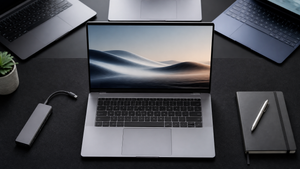

AI-enhanced laptops are no longer a futuristic concept. In 2026, they’re the default option for anyone who wants on-device Copilot features, faster AI image generation, and improved battery efficiency. The defining shift is a dedicated Neural Processing Unit (NPU), a chip designed to handle machine learning tasks without hammering the CPU or GPU. But not all AI laptops are built the same: NPU speed, processor architecture, and battery life vary widely, and some models still grapple with software compatibility.
So how do you pick the right one? This guide breaks down what matters, rounds up five standout Copilot+ PCs, and matches each to a real-world workflow. We’ll ground the recommendations in source-reported specs and hands-on observations from reviewers—no first-party testing, just a clear-eyed look at what’s out there. If you’re ready to explore the full range, our AI-enhanced laptop collection has the latest models.
What Makes a Laptop ‘AI-Enhanced’?
An AI-enhanced laptop is built around a Neural Processing Unit (NPU) that accelerates machine learning tasks locally instead of sending them to the cloud. The Copilot+ PC standard, championed by Microsoft, requires an NPU capable of at least 40 TOPS (Trillions of Operations Per Second). That’s a big jump from older chips, and it means the laptop can run real-time transcription, live captions, and AI image generation right on the device. According to analyticsinsight.net, this shift from cloud-dependent AI to local processing not only speeds things up but also reduces battery drain.
The landscape is split between two main contenders: Qualcomm’s Snapdragon X Elite (ARM-based) and Intel’s Core Ultra (x86) with integrated AI Boost. AMD’s Ryzen AI processors also use an x86 architecture with their own XDNA NPU. The difference matters. Snapdragon X chips routinely deliver 15–20 hours of mixed productivity battery life and excel at efficiency, while Intel and AMD x86 alternatives often see a 30–40% battery shortfall, per peccadille.net. On the other hand, x86 chips maintain near-universal software compatibility, which is a real advantage for legacy enterprise tools. The NPU’s TOPS rating gives a quick benchmark for AI speed, but the full picture includes the processor architecture, RAM, and how the laptop handles thermal constraints.
What to Prioritize in an AI Laptop
AI performance is the headline, but you’ll want to balance several variables. Here’s what to look for:
- NPU TOPS. The Copilot+ floor is 40 TOPS. Models like the ASUS Vivobook 16 (50 TOPS) and LG Gram 17 (47 TOPS) push higher, while the Lenovo IdeaPad Slim 3X and Microsoft Surface Laptop 2024 sit at 45 TOPS. More TOPS generally means faster AI task completion, but you won’t see a linear improvement in every workload—some tasks rely more on the GPU or CPU.
- RAM. 16GB is the practical minimum for AI-assisted multitasking. The Dell XPS 13 9345 and Surface Laptop 2024 both offer 32GB configurations, which helps with larger AI models and heavy multitasking.
- Battery life. Snapdragon X Elite laptops regularly achieve 15–20 hours in mixed productivity, while Intel/AMD Copilot+ PCs can fall short by 30–40%. The Dell XPS 13 9345, an Intel machine, is rated for up to 27 hours of streaming, but that’s an outlier. Conversely, the Lenovo IdeaPad Slim 3X (Snapdragon X) is rated for only 7 hours, so architecture alone doesn’t guarantee endurance.
- Processor architecture. ARM-based Snapdragon X chips offer better battery life and instant-on responsiveness, but they may struggle with legacy apps, specialist drivers, and older games that require emulation. If you rely on niche industrial software, an Intel or AMD x86 Copilot+ PC is the safer bet.
- Display and portability. An AI laptop is still a laptop. Models like the LG Gram 17 weigh under 3 pounds yet pack a 17-inch screen, while the Surface Laptop 2024’s 15-inch PixelSense display rivals MacBook build quality. Port selection matters too—the Surface Laptop lacks HDMI, so you’ll need a dongle for presentation setups.
Software compatibility is the silent dealbreaker. Before buying an ARM-based AI PC, check that your everyday apps run natively or at least perform well under emulation. The Lenovo IdeaPad Slim 3X, for instance, has been flagged for Bluetooth connectivity issues and ARM compatibility concerns—a reminder that the spec sheet isn’t the whole story.
Top AI Laptops of 2026
These five Copilot+ laptops stand out for different reasons. No single model is best for everyone; the right pick depends on what you value most—raw AI muscle, battery life, portability, or price.
ASUS Vivobook 16: Most Affordable 50 TOPS Performance
At $679.99, the ASUS Vivobook 16 delivers a 50 TOPS NPU and 16GB of RAM, making it the cheapest way to get class-leading AI acceleration. It uses an Intel Core Ultra processor with integrated AI Boost, so it handles everyday productivity and AI tasks in stride. The 16-inch display is serviceable, though not OLED. One minor annoyance: the keyboard backlight can flicker during sleep mode, but that’s a small trade-off for a machine that punches above its price. For students or anyone who wants a fast AI laptop without spending north of $1,000, this is the entry point.
Microsoft Surface Laptop 2024: Premium Build with Snapdragon Efficiency
The Surface Laptop 2024 brings a 45 TOPS NPU and up to 32GB of LPDDR5X RAM in a chassis that feels like a MacBook Air for Windows. Its Snapdragon X Elite chip is the star: it delivers MacBook Air-beating performance and battery life that stretches 15–20 hours in mixed use, according to findingdulcinea.com. The caveats are physical. There’s no HDMI port, and the port selection is limited, so you’ll likely carry a USB-C hub. If you’re a professional who values build quality and all-day stamina, and you can live with a dongle, this is a refined choice.
Dell XPS 13 9345: Longest Battery for All-Day AI Work
The Dell XPS 13 9345 is a premium ultraportable with a remarkable source-reported battery life of up to 27 hours of streaming, paired with 32GB of 8448 MT/s RAM. It runs on an Intel Core Ultra processor with AI Boost, so while it’s not a Snapdragon, it still meets Copilot+ requirements. The $1,499.99 price tag puts it in the high end, but the combination of a compact 13-inch form factor and class-leading battery endurance makes it ideal for frequent travelers who need AI-assisted productivity all day without hunting for an outlet. No significant pain points are reported, though the minimalist port selection is typical for this class.
Lenovo IdeaPad Slim 3X: Budget-Friendly with 45 TOPS
At $643.29, the Lenovo IdeaPad Slim 3X is the cheapest 45 TOPS option, but it’s a Snapdragon X ARM PC, so you need to be comfortable with potential software hiccups. It’s rated for just 7 hours of battery life—far lower than its ARM peers—and users have reported Bluetooth connectivity drops and touchpad tracking issues. That said, for simple AI tasks like real-time transcription or Copilot assistance, it works. Just confirm that your critical apps run natively, and be ready to troubleshoot. This is a laptop for budget-focused buyers who can manage ARM compatibility and don’t need all-day unplugged use.
LG Gram 17 2025: Ultra-Lightweight with Strong NPU
The LG Gram 17 2025 packs a 47 TOPS NPU and a 17-inch display into a body that’s lighter than many 14-inch laptops, per peccadille.net. It uses Intel’s AI Boost for acceleration and remains a Copilot+ PC. The large screen is a boon for multitasking, creative work, or anyone who wants a portable big screen without the weight penalty. Battery life is not specified in available sources, but the low weight and generous display real estate are the main draws. If you prioritize screen size and need to carry the laptop all day, the Gram 17 is a unusual but compelling option.
| Product | Best For | NPU TOPS | Source-Reported Battery Life | Key Caveat |
|---|---|---|---|---|
| ASUS Vivobook 16 | Value AI performance | 50 | — | Keyboard backlight issues in sleep mode |
| Microsoft Surface Laptop 2024 | Premium portability | 45 | 15–20 hrs mixed productivity (Snapdragon X Elite) | No HDMI port, limited ports |
| Dell XPS 13 9345 | All-day battery life | — | Up to 27 hrs streaming | Premium price |
| Lenovo IdeaPad Slim 3X | Budget Snapdragon AI | 45 | 7 hrs (rated) | ARM app compatibility, Bluetooth issues |
| LG Gram 17 2025 | Large screen, ultra-light | 47 | — | No major issues reported |
Matching the Laptop to Your Workflow
If you’re a student or a budget-conscious buyer who wants to dip into AI features without a big investment, the ASUS Vivobook 16 gives you the highest NPU TOPS for the money. The keyboard backlight quirk is easy to overlook. Creatives and frequent travelers who need a no-compromise machine that lasts all day should look at the Dell XPS 13 9345—its 27-hour streaming battery is a real advantage, and the compact size fits any bag. For those who prize build quality and long battery life in a premium package, the Surface Laptop 2024 is a natural fit, as long as you’re okay with a dongle for external displays.
The Lenovo IdeaPad Slim 3X is the pick for the absolutely lowest price, but only if you’re willing to live with ARM software quirks and a battery that won’t get you through a full workday. The LG Gram 17 2025 occupies a unique niche: if you need a huge screen and incredibly light weight, it’s unmatched. All five models are Copilot+ certified, so they all handle on-device AI tasks like live captions and real-time transcription. The real differentiator is the surrounding laptop experience—screen, ports, battery, and software compatibility.
Frequently Asked Questions About AI Laptops
What is an NPU and why does it matter for a laptop?
An NPU is a Neural Processing Unit designed to accelerate AI computations efficiently. It’s measured in TOPS, and Copilot+ PCs require at least 40 TOPS. This lets AI tasks run locally, reducing battery drain and latency compared to cloud processing.
Are AI laptops compatible with all my software?
Intel and AMD x86 Copilot+ PCs maintain full Windows compatibility. ARM-based Snapdragon X laptops may need emulation for some legacy apps, which can cause issues. The Lenovo IdeaPad Slim 3X, for example, has been flagged for ARM compatibility concerns, so verify your critical apps before buying.
How much battery life can I realistically get from an AI laptop?
Battery life ranges widely. Snapdragon X Elite laptops often achieve 15–20 hours of mixed productivity, while Intel/AMD models can fall 30–40% short. The Dell XPS 13 9345 is rated for up to 27 hours of streaming, but the Lenovo IdeaPad Slim 3X is rated for just 7 hours. Real-world usage and AI tasks will drain the battery faster.
Is an AI laptop worth it over a traditional laptop?
If you use AI features daily—Copilot, real-time transcription, AI image generation—an AI laptop delivers faster, more private on-device processing. For basic web browsing and office work, a traditional laptop is still sufficient. As analyticsinsight.net notes, AI PCs are more efficient for AI tasks, but the upgrade is most meaningful if you’ll actually use those capabilities.
