
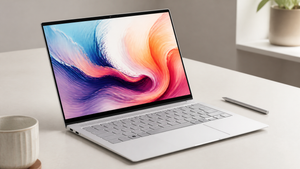

The holidays often bring a fresh look at the tech that can make daily life run a little smoother. This year, laptops with dedicated AI hardware are landing on gift lists—not just as faster machines, but as devices that can handle on-device artificial intelligence without always leaning on the cloud. For anyone who works with photo editing, video calls, or the kind of creative tools that are starting to use AI features, that shift matters.
HP’s current lineup includes several AI-enhanced models designed for different kinds of users. The common thread is a Neural Processing Unit (NPU), a piece of silicon that works alongside the CPU and GPU to accelerate AI tasks locally. It’s a practical upgrade, not a gimmick, and it can mean better battery life, snappier responses, and a bit more privacy when the laptop is doing the heavy lifting.
What Makes a Laptop AI-Enhanced?
An AI-enhanced laptop is one that includes a dedicated NPU, a processor built to handle the matrix math behind machine learning tasks. Instead of routing every AI calculation through the main CPU or graphics card, the NPU takes on those jobs, running them more efficiently. As HP explains, the measurable metric here is TOPS—trillions of operations per second—which gives a real number for AI performance instead of vague marketing.
Local processing on the NPU also changes the privacy and speed equation. Data stays on the device, so there’s less latency and fewer chances for sensitive information to leave the machine. That’s a tangible difference from cloud-dependent AI features, which need a round trip to a server. For a holiday gift, an AI laptop is a forward-looking pick that can adapt as software makers build more AI capabilities into everyday apps, from real-time language translation to background blur that doesn’t stutter.
The Hardware Behind AI Performance
The NPU’s real-world benefit shows up when the laptop is asked to do AI work continuously. By offloading those tasks from the CPU and GPU, the NPU can extend battery life by 30-40% during AI workloads, according to HP’s product guidance. That’s a meaningful difference for someone editing a batch of photos with AI-powered filters or running noise cancellation during a long video call. The chip runs cooler, too, which helps the laptop stay quiet and comfortable on a lap.
TOPS is the number to watch. Entry-level AI laptops start around 40 TOPS, which is enough for basic features like Windows Studio Effects or light photo retouching. For professionals who train small models or work with complex generative AI tools, 50 TOPS or more is the recommended territory, as HP notes in its AI PC buying guide. The number tells you what the NPU can handle before it spills work back to the main processors.
When graphics enter the picture, a dedicated GPU becomes important. AI tasks like rendering 3D scenes or accelerating video effects in DaVinci Resolve rely on the parallel processing power of NVIDIA’s Tensor Cores or Intel’s XMX engines built into Arc graphics. An integrated GPU can manage lighter AI features, but it will struggle with sustained, graphics-heavy workloads. The distinction matters most for content creators and engineers who need predictable performance.
HP's AI-Enhanced Laptop Lineup
HP’s current AI-capable machines cover a range of use cases, from the living room to the research lab. Each one approaches AI a little differently, and the right pick depends on what the recipient actually does day to day. Here’s a look at four distinct models that show how far the lineup stretches.
HP Spectre x360 16-aa0001na
A 16-inch 2.8K OLED display makes this convertible a natural fit for visual work. The Intel Core Ultra 7 155H processor and 32GB of memory give it enough headroom for multitasking while the NVIDIA GeForce RTX 4050 GPU speeds up AI-accelerated editing in apps like Adobe Firefly or Topaz AI. The bright, color-accurate screen and the active pen support make it a holiday gift that a designer or photographer would actually use, not just admire.
The Spectre’s OLED panel is a standout feature—deep blacks and vivid contrast can make editing photos feel more precise. For a creative professional who spends hours retouching, that visual quality paired with local AI processing can cut down on the back-and-forth time waiting for filters to apply. It’s a laptop that doesn’t just promise AI capability; it puts it in front of you on a screen that does the work justice.
HP ENVY x360 14 inch
The 14-inch WUXGA touch display and Intel Core Ultra 7 155U processor strike a balance between portability and AI readiness. Integrated Intel Graphics handle everyday AI features smoothly—think real-time transcription, smart meeting framing, and on-device voice assistance. At 14 inches, it’s easy to toss into a backpack, and the 2-in-1 hinge means it can be used as a tablet for reading or sketching.
For a student or remote worker, this laptop fits the rhythm of a day that moves between a desk, a coffee shop, and a couch. The NPU inside does the quiet work of keeping battery life up during those AI-assisted Moments, and the 512GB SSD is enough for a solid library of projects without feeling cramped. It’s an AI laptop that doesn’t demand a creative professional’s workload to justify its price.
HP Chromebook Plus 15a-nb0004na
This Chromebook takes a different route: AI features here rely on Google’s cloud services rather than a powerful onboard NPU. The Full-HD display and Core i3 processor keep things simple, and the ChromeOS experience is built around speed and security. For someone already deep in the Google ecosystem—using Docs, Sheets, and Meet—the AI enhancements like Magic Eraser in Google Photos or live captions feel native, not bolted on.
A budget-friendly holiday option for a student or a light user, the Chromebook Plus runs updates automatically and boots in seconds. The AI tasks happen in the cloud, so the device itself stays cool and quiet. It’s a reminder that not every AI laptop needs a massive GPU; sometimes, the best AI feature is the one that doesn’t drain the battery before lunch.
HP ZBook Fury G11 16"
For data scientists and engineers, the ZBook Fury is a workstation that can chew through local AI model training. The Core i9 processor, NVIDIA RTX 4000 Ada GPU, and a platform capable of exceeding 50 TOPS put it in a different league. It’s built to handle large datasets, 3D simulations, and the kind of custom AI frameworks that require CUDA acceleration without a hiccup.
This is a high-end gift for someone who doesn’t just use AI tools but builds them. The 16-inch UHD display gives plenty of room for code windows and visualizations side by side, and the chassis is designed to manage heat under sustained load. It’s a desktop replacement that can travel, and for the right professional, that mobility is priceless.
These four laptops are just a starting point. HP’s full range of AI-capable devices includes configurations for almost any workflow. You can browse the entire lineup at the AI-Enhanced Laptops collection.
What to Watch Out for When Choosing an AI Laptop
Not every laptop that says “AI-ready” on the box actually delivers. HP’s buying guide warns that a vague label without a TOPS number or an NPU specification is a red flag. A laptop might have a recent processor but lack the dedicated hardware needed for efficient local AI, leaving all the work to the CPU and GPU with a battery life penalty.
Thermal throttling is another concern, especially in thin-and-light designs. Sustained AI workloads generate heat, and if the cooling system can’t keep up, performance will drop. The same guide notes that 16GB of RAM is a practical minimum for AI tasks, and 32GB or more is recommended for photography or video work. Checking software compatibility is also wise—some AI frameworks rely on CUDA, while others need ROCm or Intel’s oneAPI, so the laptop’s GPU and drivers need to match the tools you plan to use.
Holiday Gift Guide: Matching an AI Laptop to the User
Pairing the right laptop to the person starts with what they actually make or do. A creative professional who edits video or designs graphics will appreciate the HP Spectre x360’s OLED screen and RTX 4050; the AI acceleration in Adobe apps can turn a slow render into a background task. A student or remote worker who needs a versatile machine that travels well might find the HP ENVY x360 a better fit, with its 2-in-1 design and capable NPU for everyday AI features. For someone who lives in Chrome and values simplicity, the HP Chromebook Plus offers cloud-powered AI without the complexity.
Engineers and researchers who train models locally will notice the difference the HP ZBook Fury makes—it’s a workstation that can handle the load without excuses. Pairing any of these with a dependable home-office printer like the HP Smart Tank 7005 rounds out a tech-forward holiday setup, especially for a home office that’s now a permanent fixture. The best approach is to explore the AI-Enhanced Laptops collection and let the recipient’s daily workflow guide the choice, not just the spec sheet.
